Author name: Himilo ICT System Support

Collaboration & Partnership

Test Post: Collaboration Activity

This is a sample test post for the Collaboration & Partnership category. It demonstrates how information related to coordination, joint activities, and stakeholder engagement will appear on the website. Future posts in this section will highlight meetings, partnerships, and collaborative initiatives involving government institutions, communities, and other stakeholders. This test post ensures that the display and structure of collaborative activity updates are properly configured.

Reserve System

Test Post: Reserve System Update

This is a sample test post prepared for the Reserve System category. It is used to demonstrate how updates related to reserves, preparedness, and emergency readiness will be presented. In actual use, this section will include information about the establishment of reserves, availability of essential supplies, and improvements in preparedness systems. The purpose of this test content is to check the functionality and visual presentation of posts within this category.

Fund Management

Test Post: Fund Management Update

This is a sample test post for the Fund Management category, created to demonstrate how updates related to the management and coordination of resources will be displayed on the website. Future content in this section will focus on how resources are organized, allocated, and managed efficiently to support operational activities. It will also highlight accountability, coordination, and proper handling of collected materials and support. This test post helps verify that the content structure and design are working correctly.

Resource Mobilization

Test Post: Resource Mobilization Update

This is a sample test post created for the Resource Mobilization category to demonstrate how content will appear on the website. The post is intended to showcase how updates related to the collection and coordination of resources will be presented. Through this section, future posts will highlight activities such as community-based resource collection, stakeholder engagement, and coordination efforts aimed at strengthening preparedness and response capacity. The purpose of this test post is to ensure that the layout, formatting, and overall presentation of content function properly across different devices.

Emergency Alert

Test Emergency Alert 2

Video provides a powerful way to help you prove your point. When you click Online Video, you can paste in the embed code for the video you want to add. You can also type a keyword to search online for the video that best fits your document. To make your document look professionally produced, Word provides header, footer, cover page, and text box designs that complement each other. For example, you can add a matching cover page, header, and sidebar. Click Insert and then choose the elements you want from the different galleries. Themes and styles also help keep your document coordinated. When you click Design and choose a new Theme, the pictures, charts, and SmartArt graphics change to match your new theme. When you apply styles, your headings change to match the new theme. Save time in Word with new buttons that show up where you need them. To change the way a picture fits in your document, click it and a button for layout options appears next to it. When you work on a table, click where you want to add a row or a column, and then click the plus sign. Reading is easier, too, in the new Reading view. You can collapse parts of the document and focus on the text you want. If you need to stop reading before you reach the end, Word remembers where you left off – even on another device. Video provides a powerful way to help you prove your point. When you click Online Video, you can paste in the embed code for the video you want to add. You can also type a keyword to search online for the video that best fits your document. To make your document look professionally produced, Word provides header, footer, cover page, and text box designs that complement each other. For example, you can add a matching cover page, header, and sidebar. Click Insert and then choose the elements you want from the different galleries. Themes and styles also help keep your document coordinated. When you click Design and choose a new Theme, the pictures, charts, and SmartArt graphics change to match your new theme. When you apply styles, your headings change to match the new theme. Save time in Word with new buttons that show up where you need them. To change the way a picture fits in your document, click it and a button for layout options appears next to it. When you work on a table, click where you want to add a row or a column, and then click the plus sign. Reading is easier, too, in the new Reading view. You can collapse parts of the document and focus on the text you want. If you need to stop reading before you reach the end, Word remembers where you left off – even on another device.

Emergency Alert, Uncategorized

TEST ALERT: Emergency Notification System Check

This is a test emergency alert published by the Somali Disaster Risk Management Bureau (DRMB) to check the functionality of the website notification and alert system. This message is for testing purposes only and does not represent a real emergency situation. The purpose of this test is to ensure that emergency alerts can be properly displayed, delivered, and viewed by users through the official DRMB website. No action is required from the public. Thank you for your understanding.

Alerts, Appeals, Bulletins, Nutrition Reports, Preparedness Plan, Recovery Reports, Risk Assessment Reports, Study Documents, Weather Advisory

Tijaabo Dhamaan ah

EARLY WARNING & RESPONSE Digniin hore iyo jawaab degdeg ah oo ku saabsan khataraha sida fatahaadaha, abaaraha, roobabka culus iyo xaaladaha degdegga ah. Bulletins Warbixinno joogto ah oo ku saabsan xaaladaha khataraha. Content: PDF (Early Warning Bulletins – monthly reports) Video provides a powerful way to help you prove your point. When you click Online Video, you can paste in the embed code for the video you want to add. You can also type a keyword to search online for the video that best fits your document. To make your document look professionally produced, Word provides header, footer, cover page, and text box designs that complement each other. For example, you can add a matching cover page, header, and sidebar. Click Insert and then choose the elements you want from the different galleries. Themes and styles also help keep your document coordinated. When you click Design and choose a new Theme, the pictures, charts, and SmartArt graphics change to match your new theme. When you apply styles, your headings change to match the new theme. Save time in Word with new buttons that show up where you need them. To change the way a picture fits in your document, click it and a button for layout options appears next to it. When you work on a table, click where you want to add a row or a column, and then click the plus sign. Reading is easier, too, in the new Reading view. You can collapse parts of the document and focus on the text you want. If you need to stop reading before you reach the end, Word remembers where you left off – even on another device. Video provides a powerful way to help you prove your point. When you click Online Video, you can paste in the embed code for the video you want to add. You can also type a keyword to search online for the video that best fits your document. To make your document look professionally produced, Word provides header, footer, cover page, and text box designs that complement each other. For example, you can add a matching cover page, header, and sidebar. Click Insert and then choose the elements you want from the different galleries. Themes and styles also help keep your document coordinated. When you click Design and choose a new Theme, the pictures, charts, and SmartArt graphics change to match your new theme. When you apply styles, your headings change to match the new theme. Save time in Word with new buttons that show up where you need them. To change the way a picture fits in your document, click it and a button for layout options appears next to it. When you work on a table, click where you want to add a row or a column, and then click the plus sign. Reading is easier, too, in the new Reading view. You can collapse parts of the document and focus on the text you want. If you need to stop reading before you reach the end, Word remembers where you left off – even on another device.  

News

Humanitarian Coordination Meeting Held at Regional Level

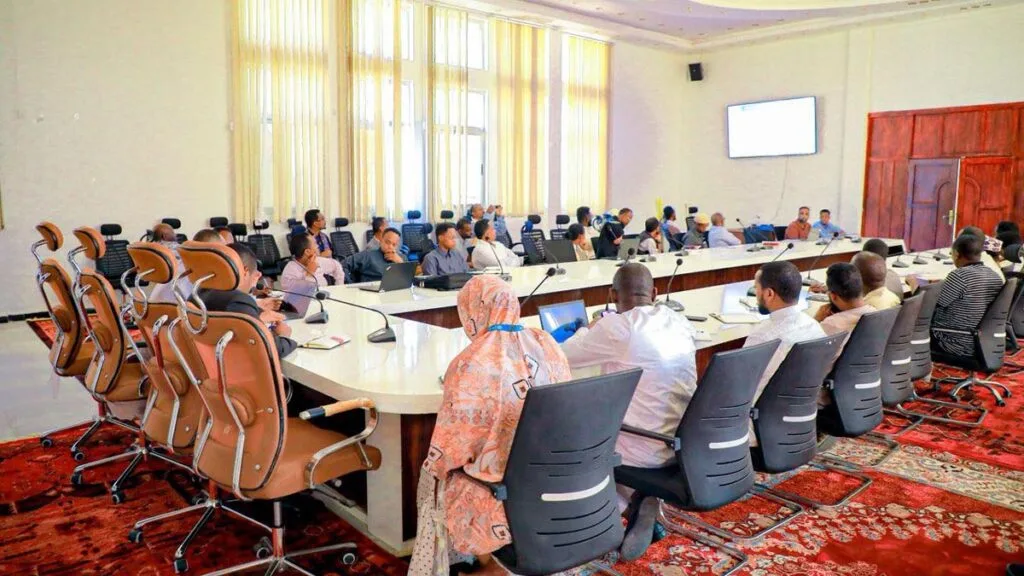
A regular Humanitarian Coordination Meeting was held this morning at the hall of the Disaster Risk Management Bureau (DRMB). The meeting was attended by partner government offices and humanitarian organizations operating in the region. During the meeting, a report was presented on the current drought situation and the ongoing efforts being undertaken to respond to the drought. After listening to the report, participants discussed the government’s ongoing interventions to address the drought situation. It was also agreed that the ongoing activities should be further strengthened by both government institutions and humanitarian organizations. Finally, the Deputy Head of the DRMB, Mr. Abdifatah Mohamed Abdi, delivered remarks regarding the overall drought situation. He noted that the current situation in the region requires close monitoring and the strengthening of ongoing response efforts. He also highlighted that the region is entering the upcoming spring (Gu’) rainy season, which is expected to be favorable. However, he emphasized the importance of preparedness for potential impacts of the seasonal rains, particularly in areas that are prone to flooding. He also stressed the need to share early warning messages with communities and ensure that all necessary preparedness measures and services are put in place in advance.

News

Regional Leadership Visits Elelle District to Assess Winter Situation

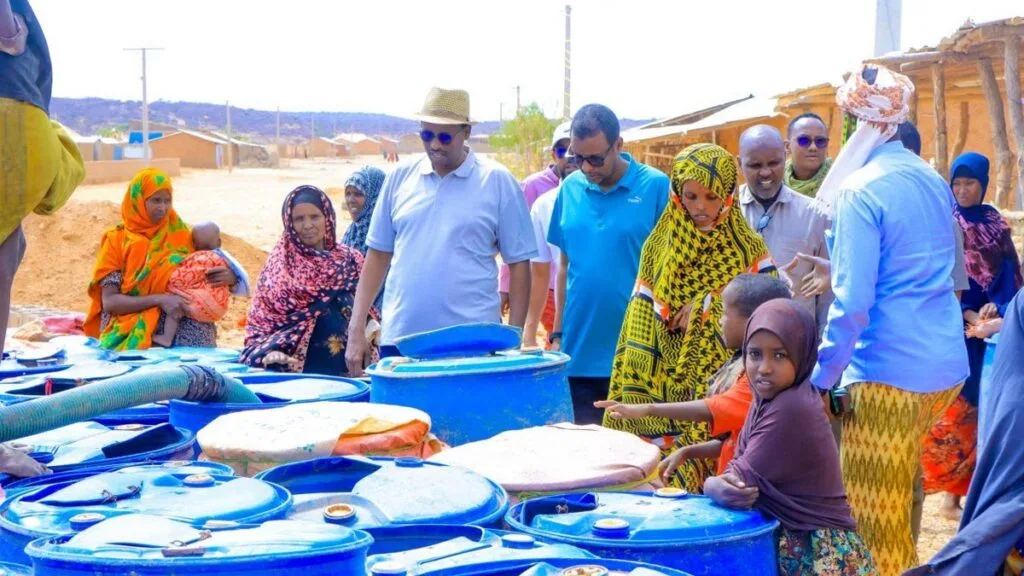
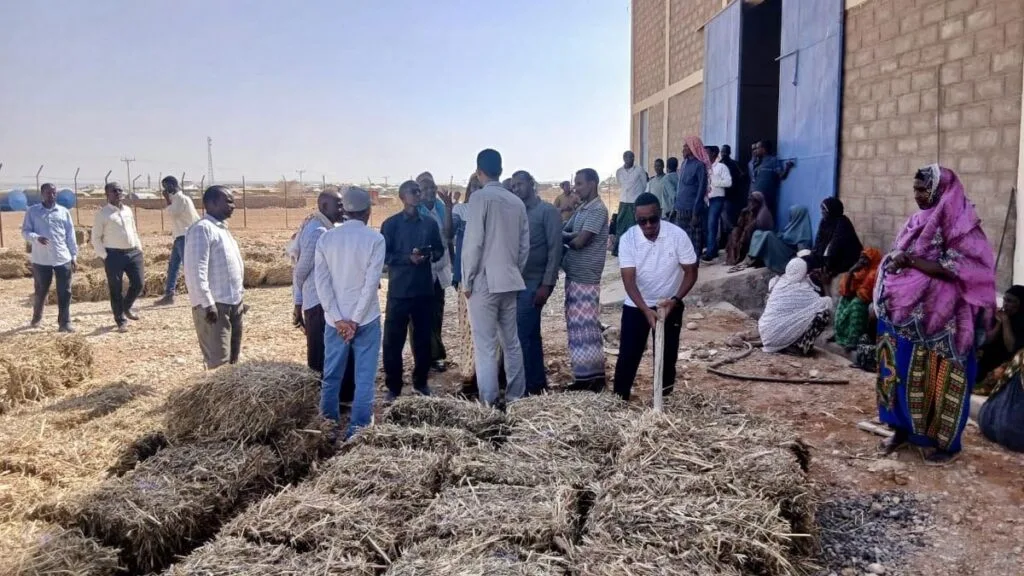
A regional leadership team overseeing winter response activities in the Shabelle Zone visited Elelle District this morning. During the visit, the delegation held meetings with the district administration and reviewed the ongoing service delivery and response efforts taking place in the district. The visit aimed to closely monitor the winter situation and strengthen coordination to ensure effective support for the affected communities.

Scroll to Top